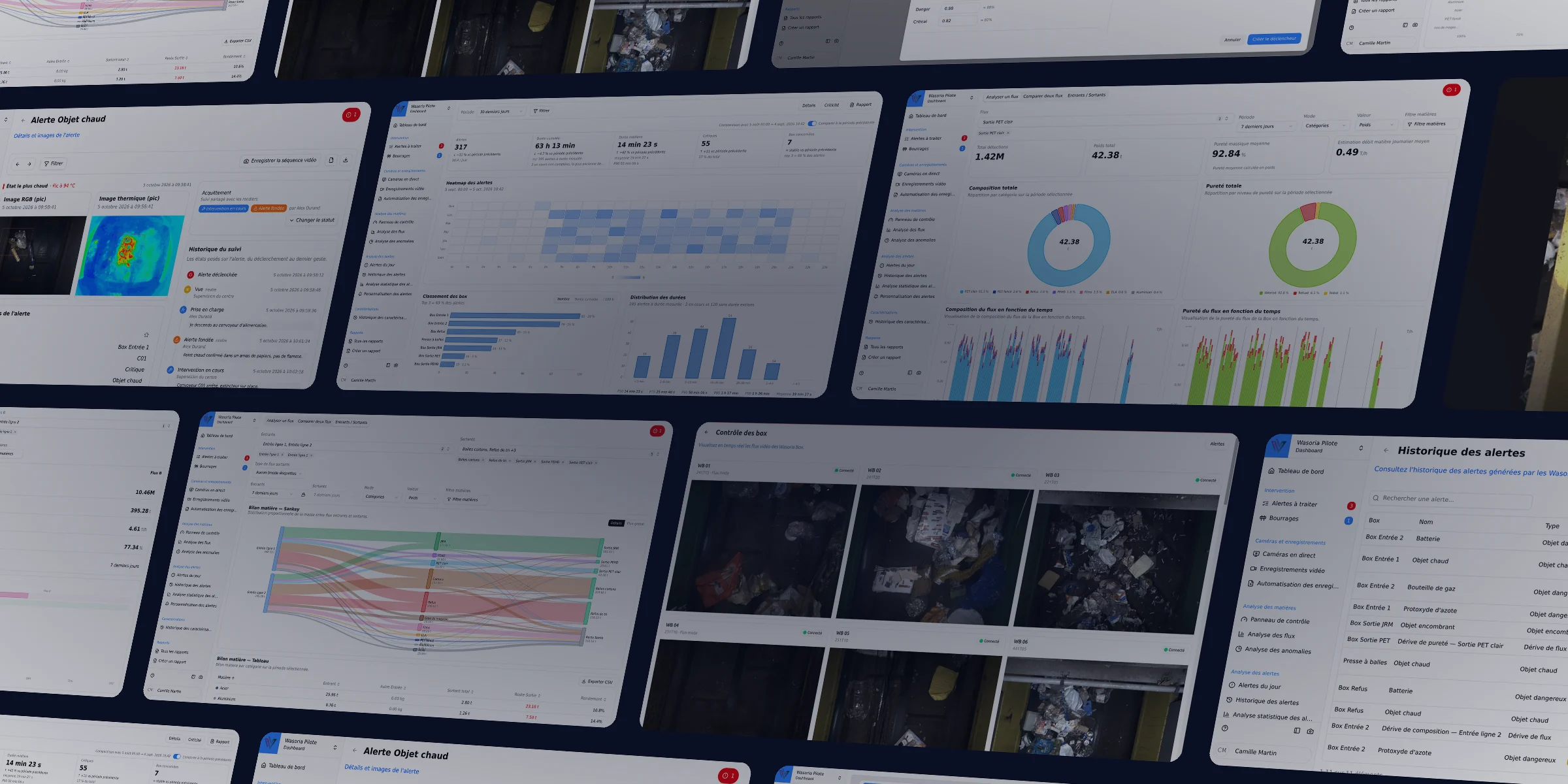
Wasoria Pilot Supervise and optimize your sorting operations in real time
Aggregate and analyze all your flow data.
The supervision platform for sorting centers
Data from your Wasoria Boxes, gathered on a single screen
Wasoria Pilot centralizes all your sorting data in real time. Supervise your operations, detect anomalies and improve your performance with clear dashboards and customizable alerts. The platform triggers alarms, sends information to the PLCs of the sorting line and produces your performance reports.
Main features
All the tools you need to effectively manage your sorting centers
Real-time dashboard
Instantly visualize Wasoria Box video feeds and your sorting center key indicators.
Global process analysis
Compare your data for complete understanding and in-depth analysis.
Data traceability
Access the complete history of your performance, generate custom reports and export your data.
Alert management
Configure notifications so you never miss anything and react quickly to incidents.
Dashboards and visualizations
Real-time data to drive your operations
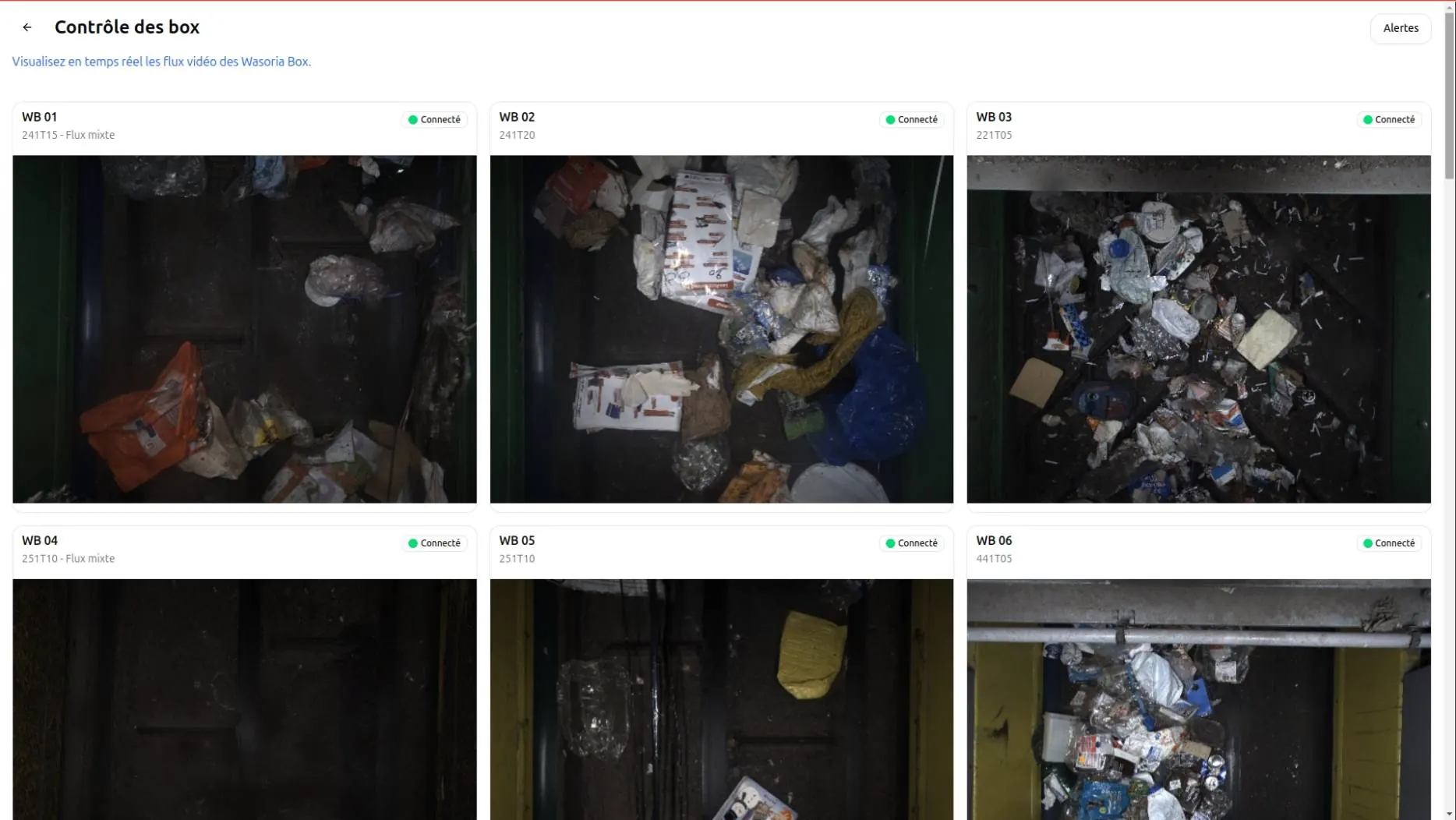
Camera flow observation
Monitor material flows in real time through integrated smart cameras
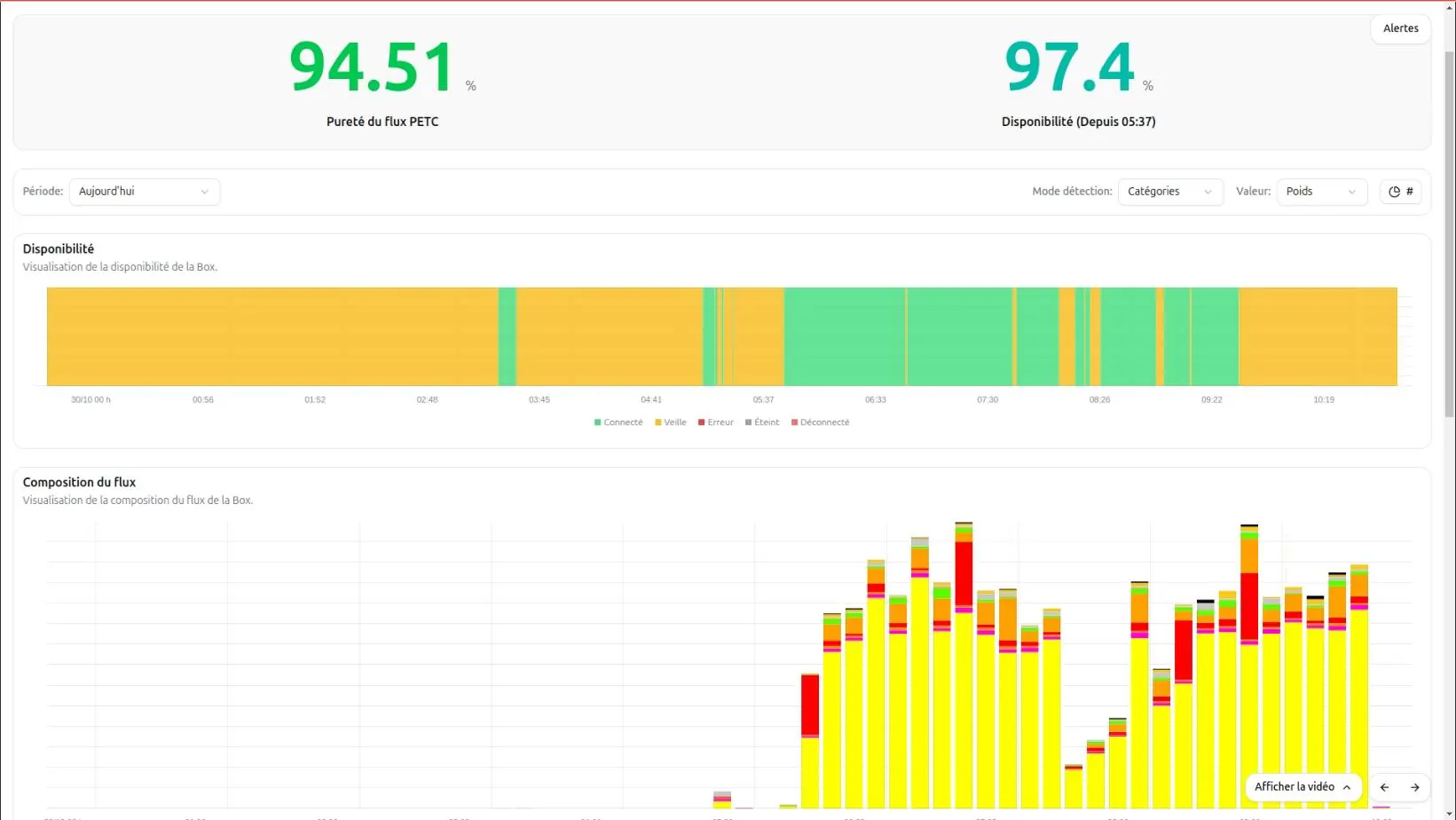
Real-time flow monitoring
Visualize the performance of each sorting line with key indicators and dynamic charts.
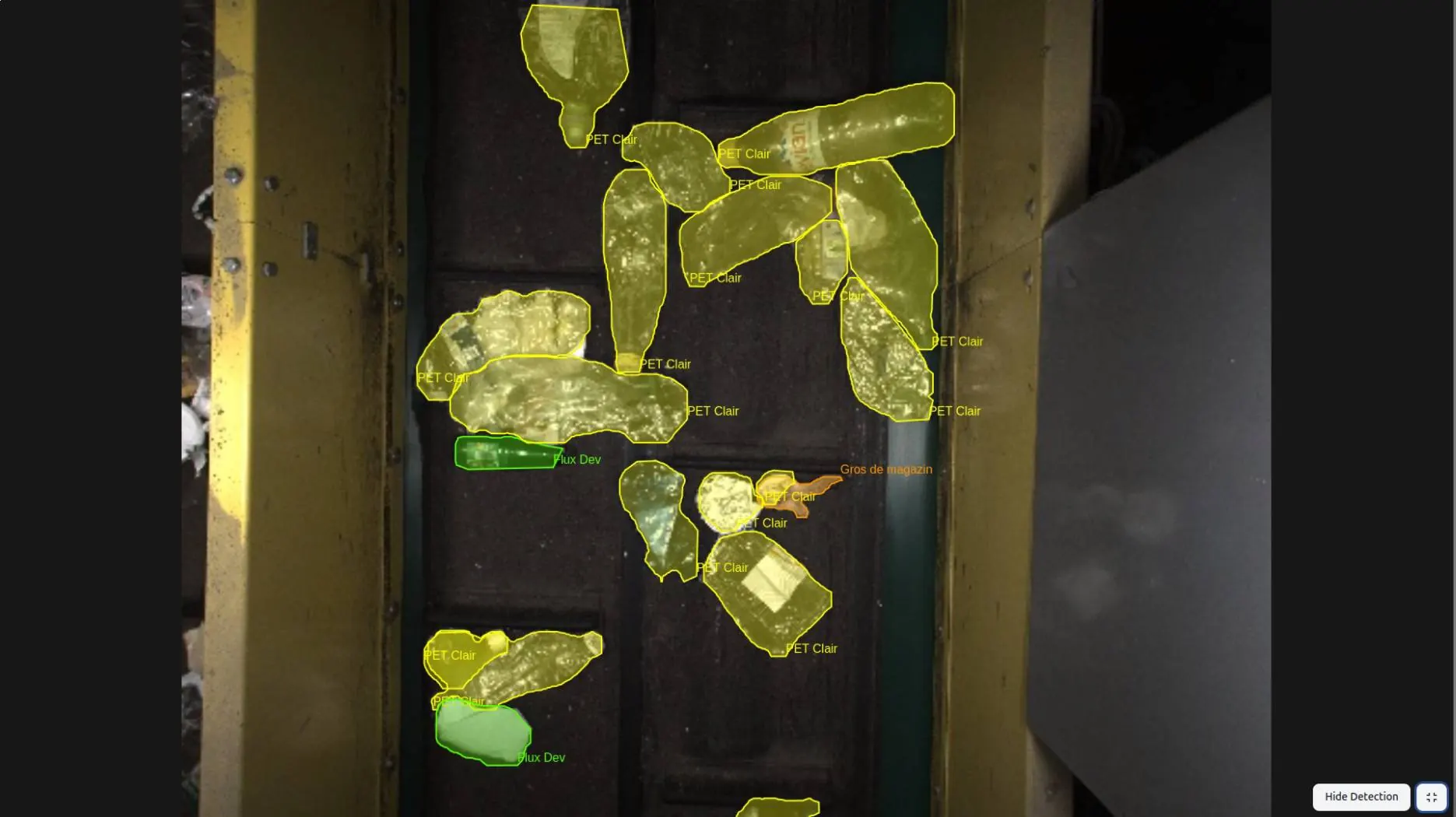
Focus on a specific flow
Analyze a particular flow in detail to identify anomalies and optimize performance.
From detection to resolution
Every alert is qualified, documented and tracked until it is closed.
What Wasoria Pilot reports
-
Dangerous objects
Batteries, gas cylinders or nitrous oxide canisters spotted on the conveyor.
-
Hot objects
Abnormal hot spots detected by the Wasoria Box thermal camera.
-
Bulky objects
Oversized items likely to block the sorting line.
-
Flow drifts
Deviations in purity, composition or particle size from your reference.
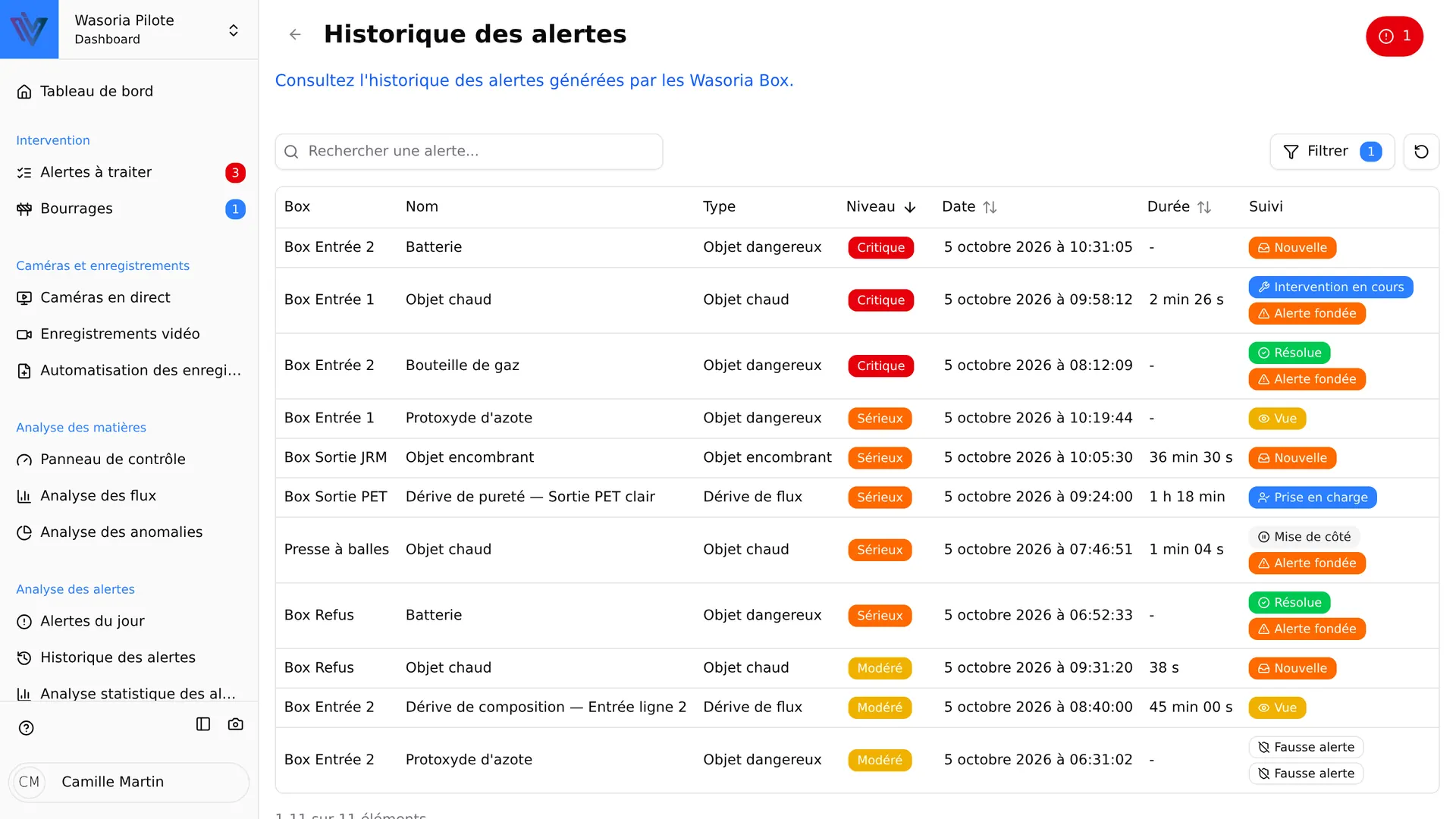
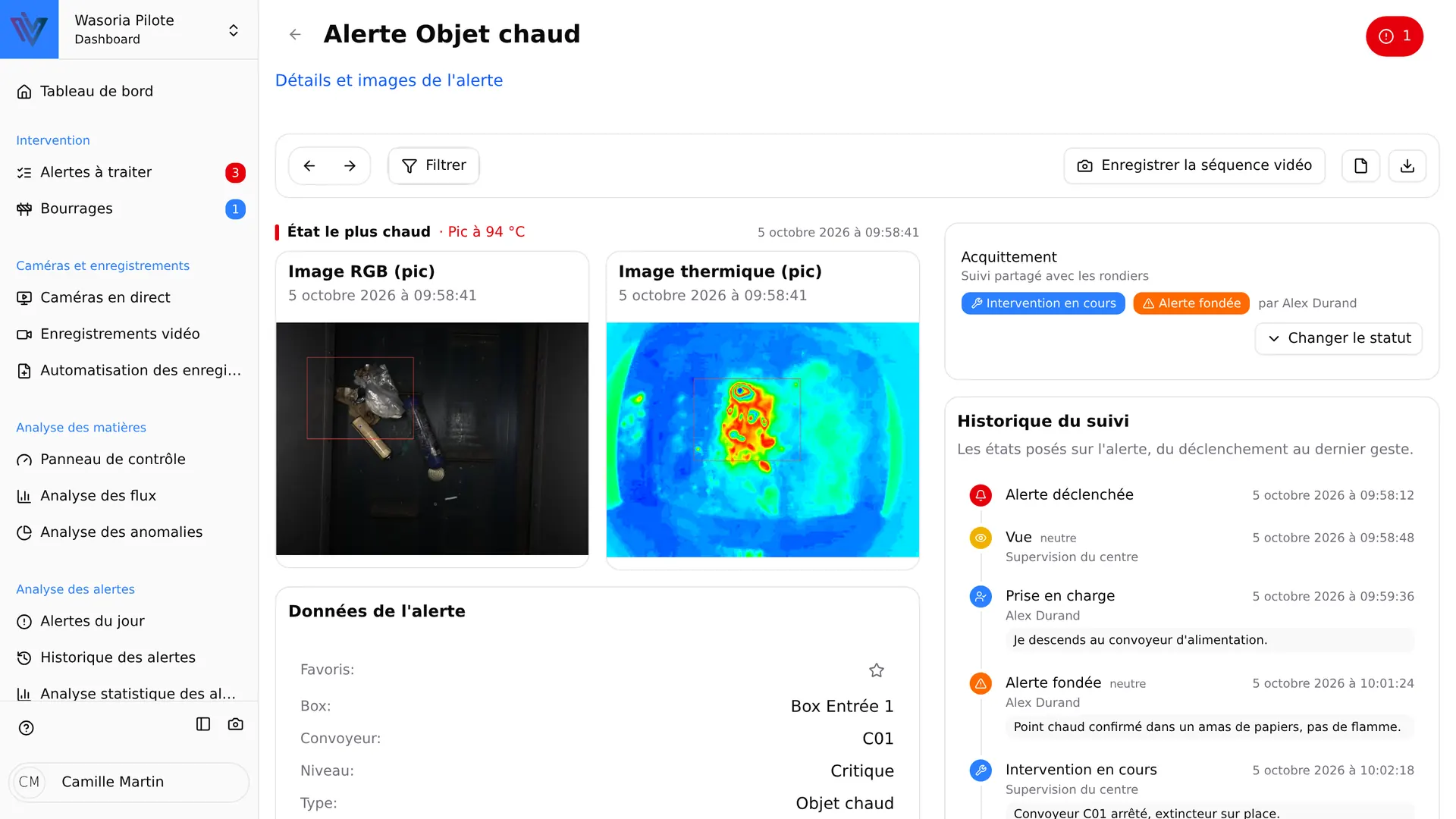
Every alert comes with evidence
- Color and thermal images, with the detected object outlined
- Video clip around the event
- Recording triggered automatically by alert type, Box and severity level
- Alert report exportable as PDF
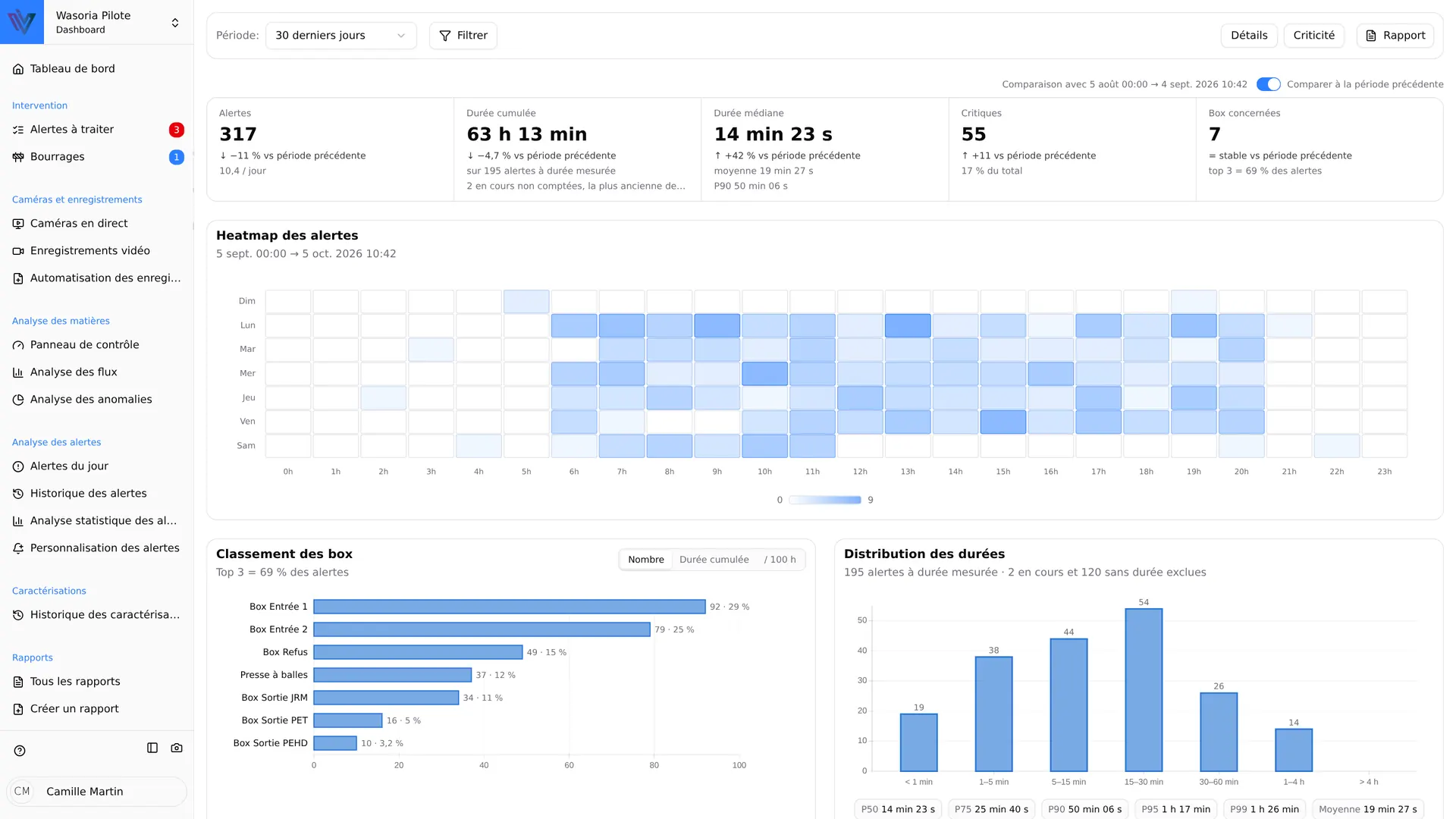
Understand where and when incidents occur
Alert statistics highlight the times, equipment and incident types that need your attention.
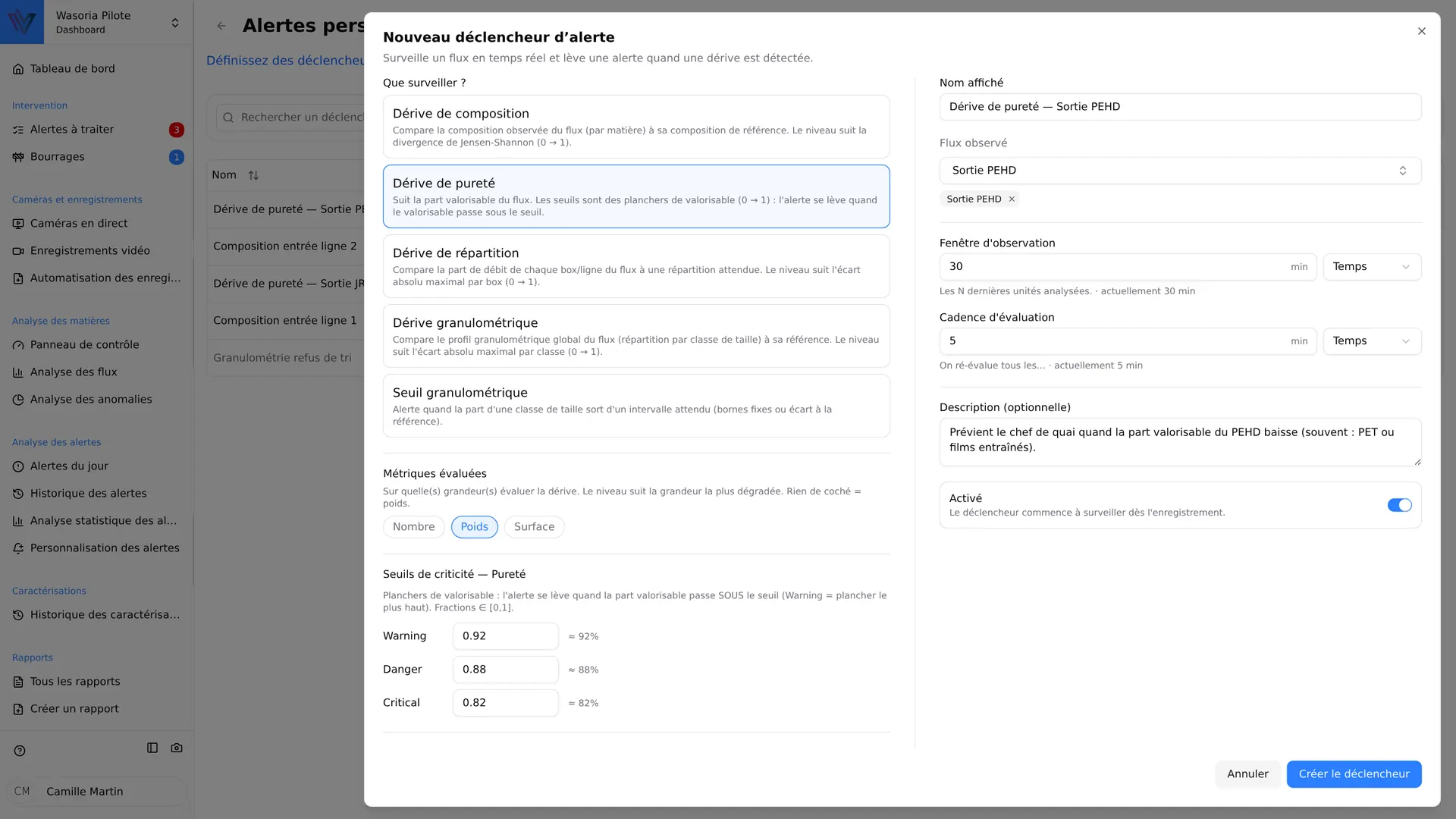
Alerts tuned to your flows
Define your own monitoring rules: Wasoria Pilot evaluates your flows continuously and warns you as soon as they move away from their reference.
Purity drift
Alerts when the recoverable share of the flow drops below the thresholds you set.
Composition drift
Compares the observed composition of the flow, material by material, with its reference composition.
Distribution drift
Checks that throughput is split between lines as expected and flags any imbalance.
Particle size drift
Compares the distribution of objects by size class with the reference profile of the flow.
Particle size threshold
Alerts when the share of a size class leaves the range you defined.
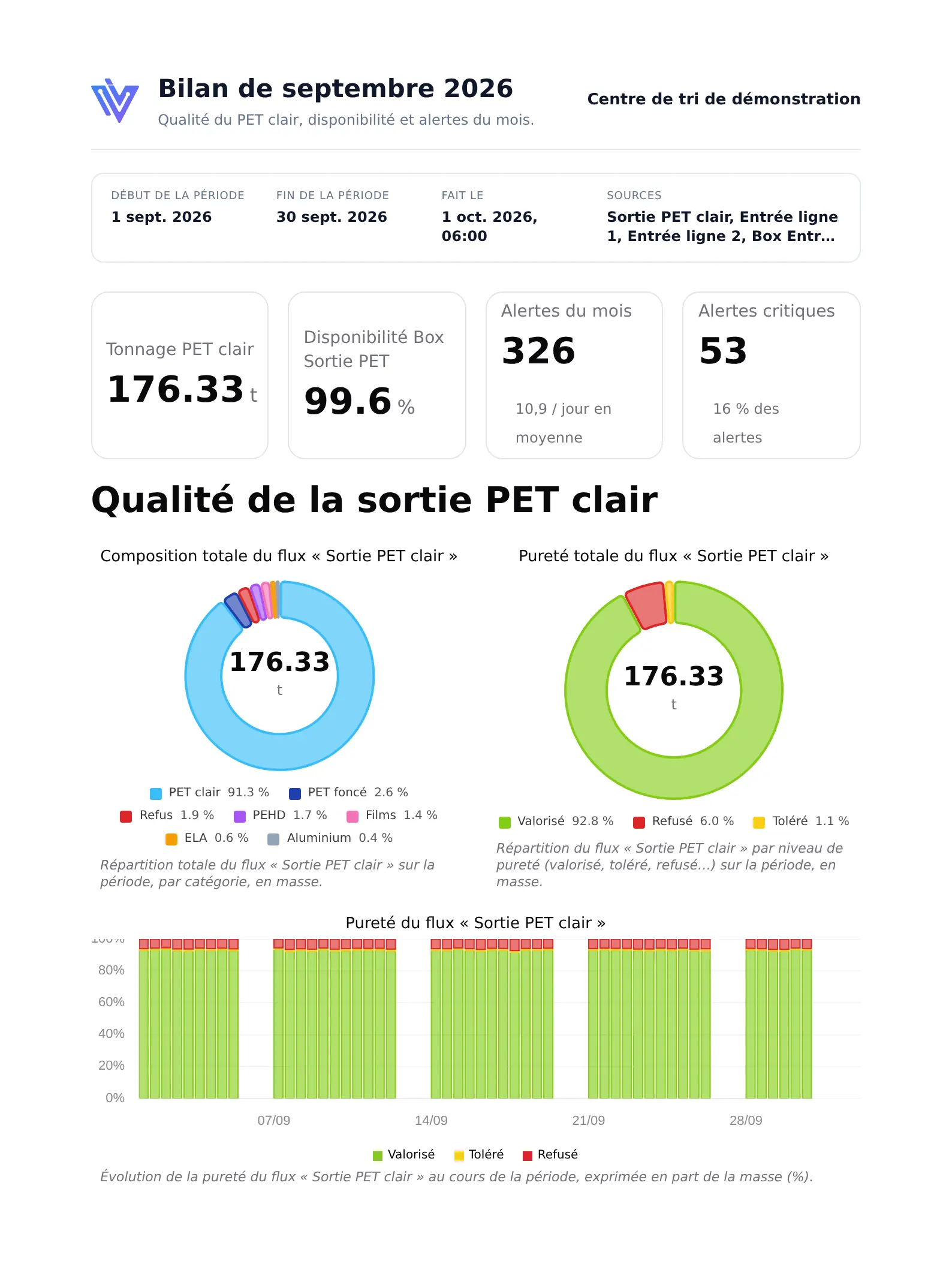
Drifts are measured by weight, object count or surface area. Each trigger can be paused, and the alerts it raised remain available to fine-tune its settings.
Measure what comes in and what goes out
Wasoria Pilot compares your input and output flows to objectively measure the performance of each sorting step.
Indicators tracked continuously
- Mass purity
- Recoverable rate
- Mass throughput, instantaneous and daily
- Process availability
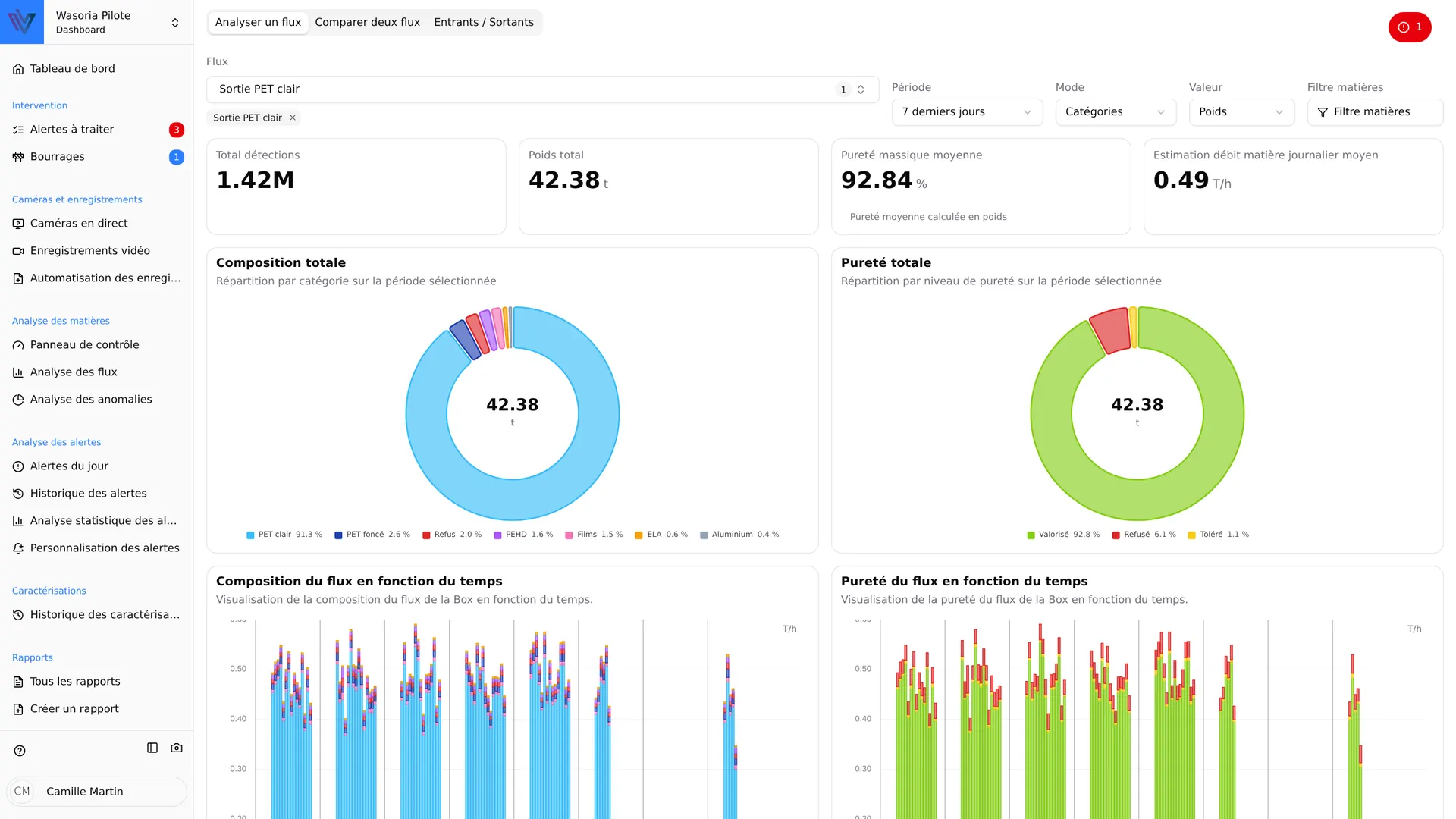
Analyze a flow
Composition, profile, purity and trend of a flow over the period of your choice.
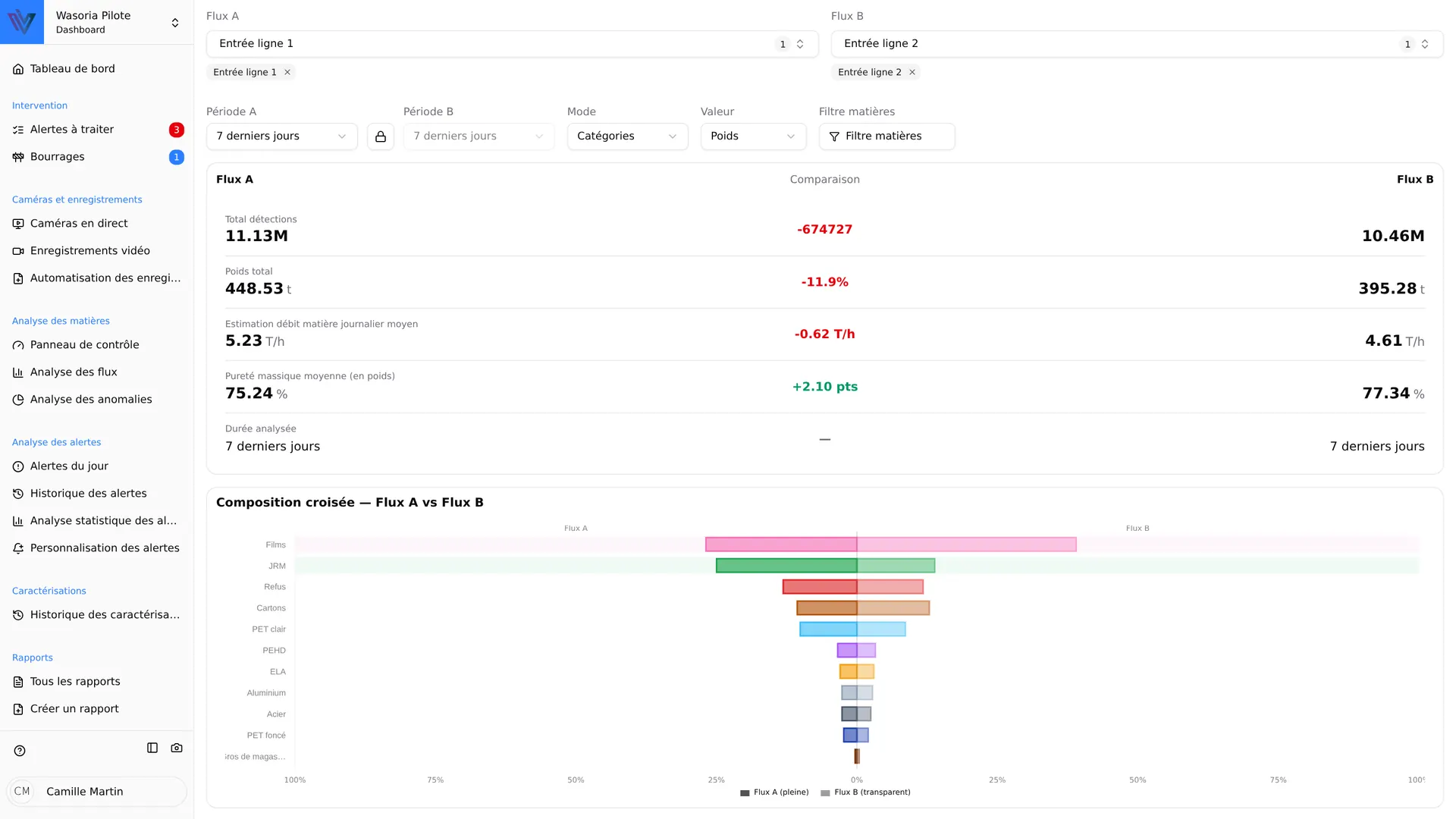
Compare
Two flows or two periods side by side, in mirror or radar view, to measure the effect of an adjustment.
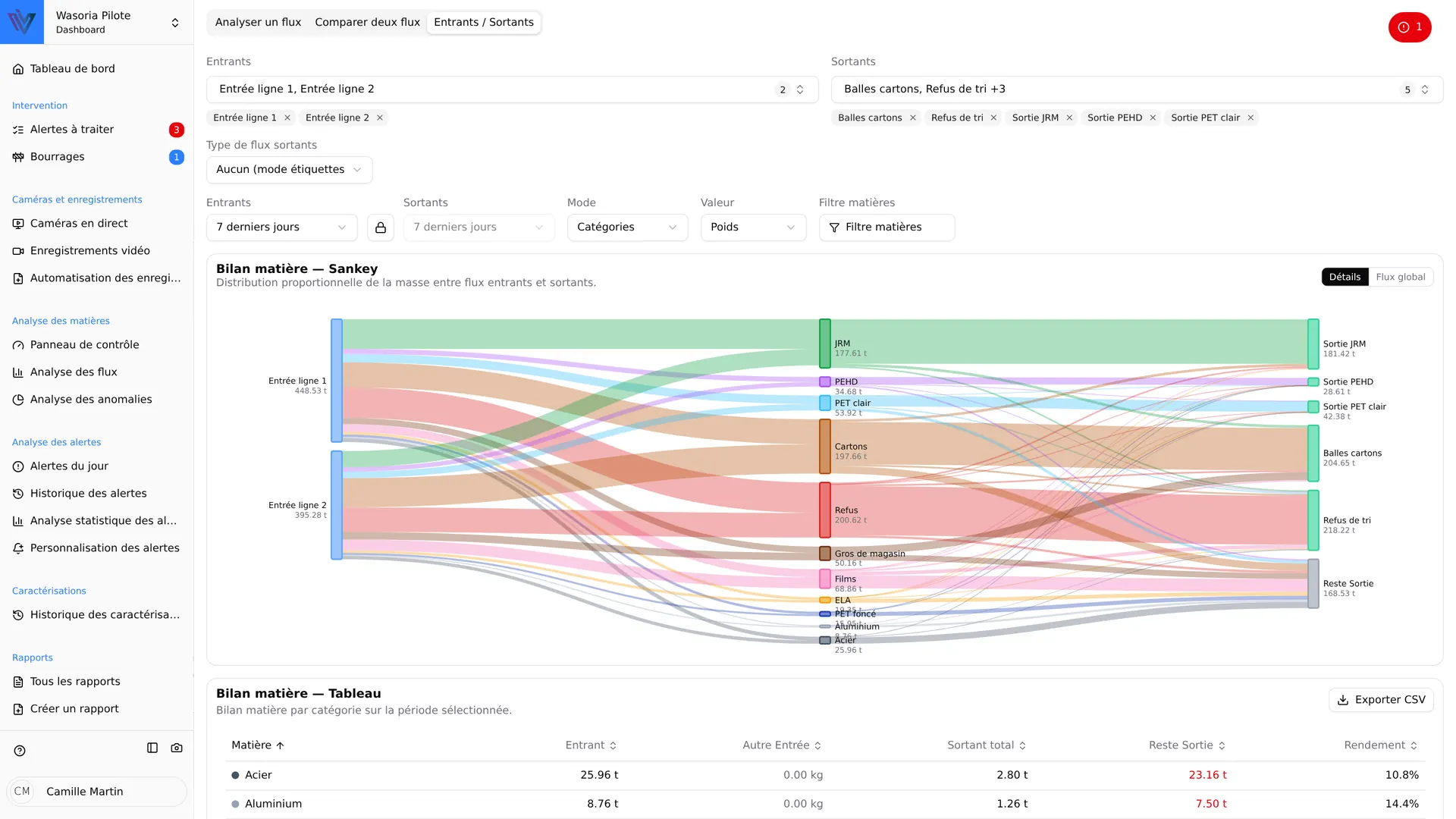
Inputs and outputs
Material balance as a Sankey diagram, separation efficiency and yield, exportable as CSV.
Every analysis can be expressed by mass, object count or surface area, per material category or per object type.
From sensor to client report
Your sorting data becomes documents ready to share, with no re-entry.
Build
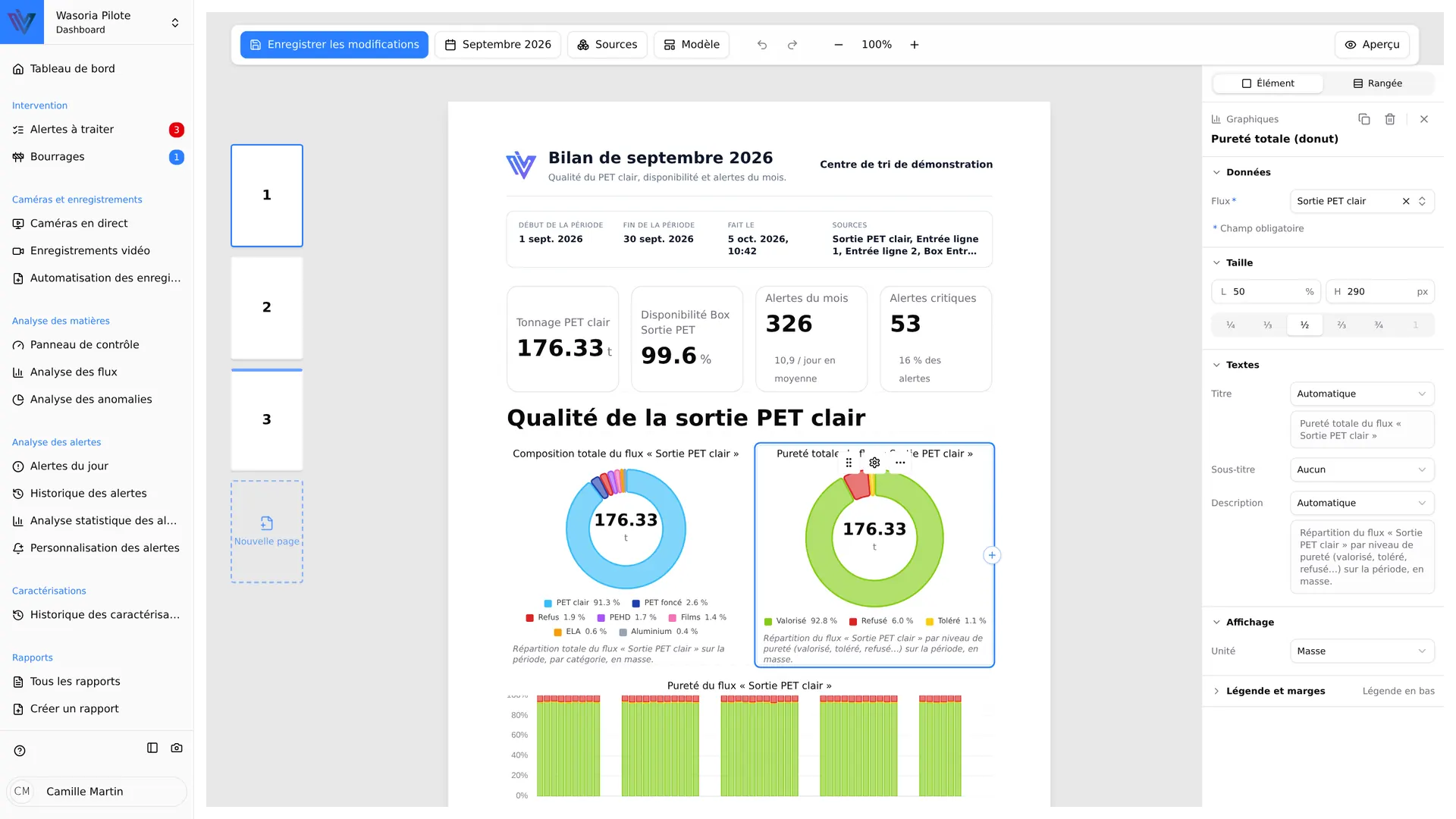
A drag-and-drop visual editor: composition, material balances, indicators, alerts. Start from a ready-made template or save your own.
Schedule
Set up recurring report generation: the report is produced and emailed to the chosen recipients, with no manual step.
Export
PDF, CSV, ZIP archives, video timelapses with their events. Files can also be copied to a USB drive for poorly connected sites.
Frequently asked questions about Wasoria Pilot
What data does Wasoria Pilot bring together?
Where is the data processed?
How are teams notified of an alert?
Can we define our own alerts?
What reports can be produced?
Does Wasoria Pilot work with Wasoria Characterization?
How do teams get started with the tool?
Explore more
-
 Wasoria Box The AI sensor that analyzes your waste streams in real time.
 -
 Wasoria Characterization An advanced automatic solution for flow characterization.
 -
 Performance Optimization An in-depth analysis of the sorting process to maximize real-time performance.
 -
 Dangerous Objects Prevention Detection and management of dangerous objects to ensure safety and integrity of sorting operations.
 -
 Waste characterization Measure the composition and quality of your streams to steer sorting and recovery.
Ready to optimize your supervision?
Discover how Wasoria Pilot can simplify the management of your sorting center, with a personalized demo.